Home / Reviews / DYMO LabelManager 160
DYMO LabelManager 160 review
The LabelManager 160 is the handheld for people who type a lot of labels. A real QWERTY keyboard, one-touch formatting keys and DYMO's D1 tape make labels for shelves and cables fast.
- Best as
- Best QWERTY handheld for a workshop
- Prints on
- DYMO D1 tape from 6 to 12 mm wide (1/4 to 1/2 inch), in many colours.
- Cost per label
- About 14¢ to 21¢ per label on 12 mm D1 tape.
Imogen Pratt, updated 11-01-2026. Sources: Bob Vila (roundup first published Sept 2020, updated since); maker specs.
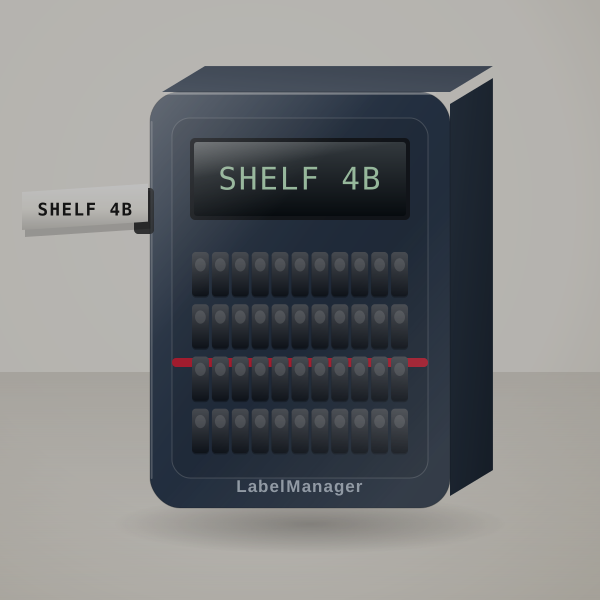 3D render, not a photo
Built for people who type a lot
Typing speed is what you pay for. The QWERTY layout and fast-format keys mean a shelf of labels takes minutes, and the listing lists more than 20 formatting options and over 200 symbols and clip-art images.
D1 is DYMO's main office tape. It comes in three widths and many colours, and the same cassettes fit DYMO's other D1 machines, which matters in a workplace that already has one.
It is the most-reviewed label maker in this list on Amazon, which tells you how many offices and workshops rely on it.
A shelf of sixty labels, worked out
Sixty shelf labels at 1.5 inches use about 2.25 inches each including leader, around 11 feet in total: just under half of a 23-foot D1 cassette, roughly $6 to $9.
What the tape costs you
DYMO D1 tape from 6 to 12 mm wide (1/4 to 1/2 inch), in many colours.
About 14¢ to 21¢ per label on 12 mm D1 tape. Try your own price.
- System
- DYMO D1 tape (maker)
- Input
- QWERTY keyboard
The people it suits best
- A workshop or storeroom where someone types labels all afternoon.
- An office already stocked with DYMO D1 tape.
- Cable and shelf labelling where speed beats design.
Tape spend over a year
You pay for the machine once. The tape is what you keep buying.
| How you use it | Labels | Labels a year | Spend a year |
|---|---|---|---|
| Light home use | 10 a month | 120 | $17 to $25 |
| Organising a whole house | 30 a month | 360 | $50 to $76 |
| Small office | 60 a month | 720 | $101 to $151 |
Known gripes, and the workarounds
- No computer connection
- The listing is clear: no USB. For printing from a PC, look at the PT-D610BT.
- Tape waste at the start of a label
- Print several labels in one go where you can.
- D1 is not laminated like TZe
- It holds up well indoors; for wet or outdoor labels Brother TZe is tougher.
D1 cassettes to stock
Buy the printer and a two-pack of 12 mm black-on-white D1 (45013). Add 9 mm if you label cables.
What ships with it
- The LabelManager 160
- A starter D1 cassette in most bundles; check the listing
- Batteries are usually not included
Setting it up
- Fit batteries and the D1 cassette.
- Type, use the one-touch keys for bold, size or box, preview, print.
Will it suit you?
Good fit if you want fast typing and D1 tape for shelves and cables.
Poor fit if you want laminated Brother tape or app design.
DYMO LabelManager 160 or Brother P-touch PT-D220?
The Brother PT-D220 prints laminated labels that last longer in damp places; the DYMO types faster and offers more tape widths. Per label they cost about the same.
How it stacks up
| Machine | Prints on | Widest label | Design with | Power | Cost per label |
|---|---|---|---|---|---|
| DYMO LabelManager 160 | DYMO D1 | 12 mm | QWERTY keyboard | Batteries or adapter | About 14¢ to 21¢ |
| Brother P-touch PT-D220 | Brother TZe, laminated | 12 mm | Built-in keyboard | 6 AAA or adapter | About 14¢ to 21¢ |
| Brother P-touch PT-D610BT | Brother TZe, laminated | 24 mm | Keyboard, phone app or computer | Adapter; check the bundle | About 14¢ to 21¢ |
| DYMO LetraTag 100H | DYMO LetraTag (paper or plastic) | 12 mm | ABC keyboard | Batteries | About 8¢ to 17¢ |
Worth a look instead
- Brother P-touch PT-D220: Durability matters more than typing speed. Brother P-touch PT-D220 review. Check price
- Brother P-touch PT-D610BT: You also want to print from a computer or phone. Brother P-touch PT-D610BT review. Check price
- DYMO LetraTag 100H: You want the cheapest start for occasional labels. DYMO LetraTag 100H review. Check price
What people ask
Can the LabelManager 160 connect to a computer?
No. It has no USB connection.
What tape widths does it take?
D1 tape from 6 mm to 12 mm wide.
Is D1 tape waterproof?
D1 resists moisture well indoors; for outdoor use Brother's laminated TZe is tougher.
Is the LabelManager 160 right for you?
If you type labels by the dozen for shelves and cables, order the LabelManager 160 and a spare D1 two-pack.